Interactive API Simulation: API Simulator Walkthrough
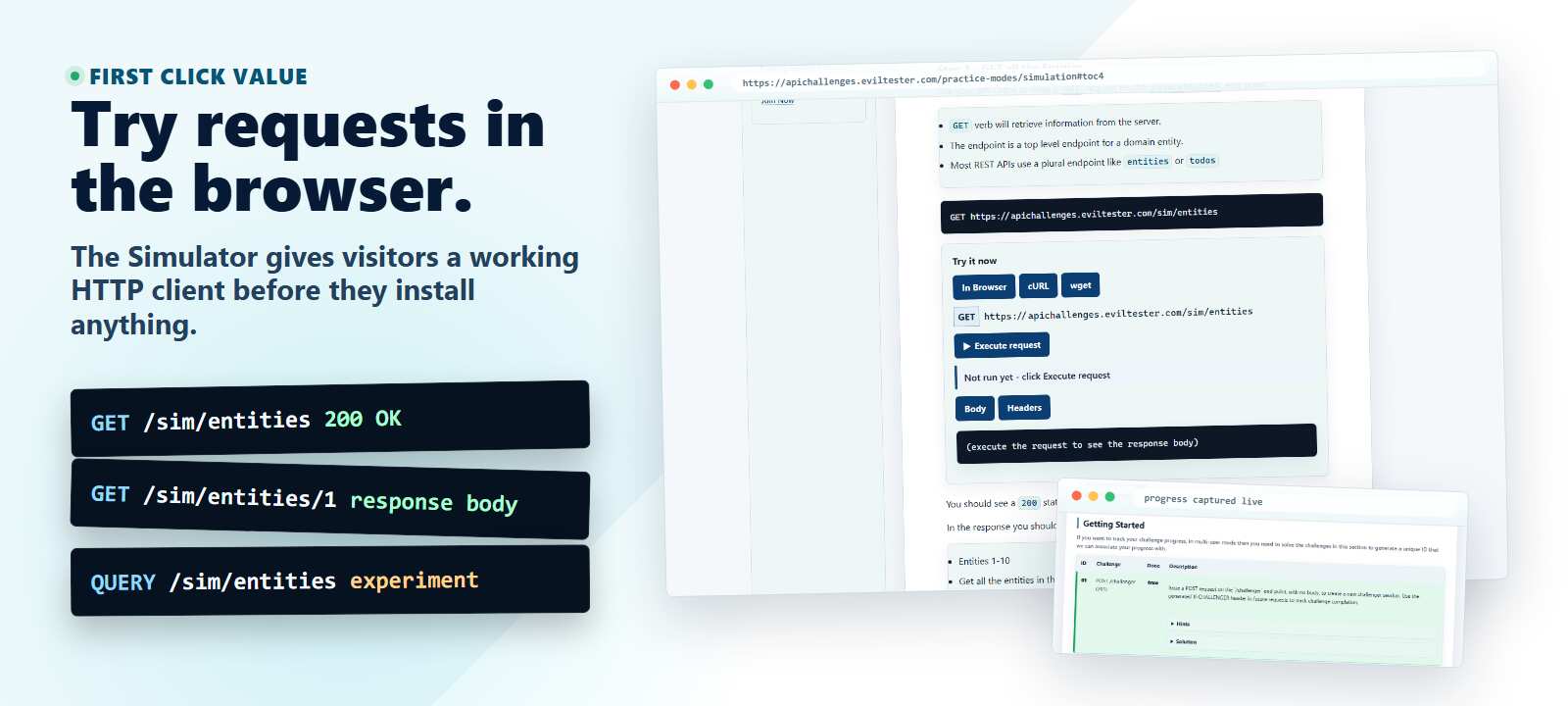
Use this interactive walkthrough to practise common API requests against the API Challenges Simulator. The simulator is predictable and stateless, so it is useful for learning how your API client sends requests, shows responses, and reports status codes without needing any setup.
Before you start, read the Simulation Mode overview if you want to understand what the simulator is designed for. Keep HTTP Basics and HTTP Methods and Verbs nearby if you want reference material while you work through the requests.
Request Sequence
Use the verbs and payloads listed below as a way of making sure your tooling is setup and you understand the absolute basics about API usage and Testing.
Step 1 - GET all the Entities
Use your API Client to issue a GET request on the /sim/entities end point.
GETverb will retrieve information from the server.- The endpoint is a top level endpoint for a domain entity.
- Most REST APIs use a plural endpoint like
entitiesortodos
GET https://apichallenges.com/sim/entities
You should see a 200 status code, which means that the request was a success.
In the response you should see a JSON payload with 10 items.
- Entities 1-10
- Get all the entities in the simulator
Step 2 - GET a single Entity
Issue a GET request to /sim/entities/1
- by adding
/1to the endpoint we are requesting the entity withidequal to1
GET https://apichallenges.com/sim/entities/1
- The response should have a status code of
200, meaningOK, the API found the item - The response should Return the details of entity number 1
For extra practice try and GET other entities (2-8) listed in the /sim/entities response
NOTE: Entities 1-8 are suitable for getting with a 200 response. 9 and 10 are reserved for later simulated scenarios so if you GET them then you may not get the response you are expecting
Step 3 - Try to GET an Entity that does not exist
A 404 status code is returned when the API cannot find the item requested.
There was no entity with id equal to 13 so if we try to GET that we will receive a 404 status code in the response.
GET https://apichallenges.com/sim/entities/13
- Entity does not exist, receive a 404 response
- Try other values for the
idand see that you receive 404 responses
Step 4 - Use POST to create an Entity
A GET request is used to retrieve information. We can use POST to create new items or amend existing items.
- We need to issue a
POSTrequest to the/sim/entitiesend point. - We use the top level endpoint without an
idbecause we want to create a new entity (if we add anidthen we are trying to amend a specific entity) - We also need to add a
bodywith the details of the entity we want to create
POST https://apichallenges.com/sim/entities
With body:
{"name": "bob"}
NOTE: we've tried to make the simulator easy to use so it doesn't actually matter what you add as the payload, you'll still see the response below.
In response you will see that a new entity has been created with id 11:
{
  "id": 11,
  "name": "bob",
  "description": ""
}
The response will also have a 201 status code, which indicates that a new entity was created.
If you look at the headers in the response you will also see a Location header containing the endpoint where the created item can be found.
HTTP/1.1 201 Created
Content-Type: application/json
Location: /sim/entities/11
You can now issue a GET request on /sim/entities/11 and you'll see the entity returned again.
{
  "id":11,
  "name":"bob",
  "description":""
}
NOTE: entity with id 11 does not show in the entities list because no state is stored on the server.
Step 5 - Use POST to Amend an Entity
With this API you can also use POST to amend an entity. We'll amend entity id 10
Entity 10 is listed in the /sim/entities response as:
{
  "id":10,
  "name":"entity number 10",
  "description":""
}
Issuing a POST on endpoint /sim/entities/10 means that we want to amend a specific entity.
POST https://apichallenges.com/sim/entities/10
Add a payload which contains the information you want to update:
{"name": "eris"}
You will receive a 200 status code.
- Amend an entity...note we assume you are amending to the payload above, because that is what we return.
- Will amend Entity with ID 10, to have the name
eris
Once you amend you can GET this item and check it has amended
GET https://apichallenges.com/sim/entities/10
{
  "id": 10,
  "name": "eris",
  "description": ""
}
NOTE: because this is a simulator and nothing has changed on the server if you issue a GET on /sim/entities it will show the original name "entity number 10"
Step 6 - Use PUT to Amend an Entity
You can also use PUT with this API to amend the entity.
Let's assume that someone has amended the name back to the original "entity number 10", which we can see if we GET
GET https://apichallenges.com/sim/entities
Entity 10 is listed in the /sim/entities response as:
{
  "id":10,
  "name":"entity number 10",
  "description":""
}
So we will issue a PUT request to amend entity with id 10 to have the name eris
PUT https://apichallenges.com/sim/entities/10
With the payload in the body as:
{"name": "eris"}
PUT and POST are not always interchangeable with APIs. For each API you use, read the documentation to learn how the API works.
Step 7 - DELETE an Entity
We can use the DELETE HTTP verb to delete a specific item.
The only entity we can delete is id equal to 9
DELETE https://apichallenges.com/sim/entities/9
This should respond with a status code of 204 meaning OK successfully completed, but no additional information to show in the body of the response.
Step 7a - Don't trust the output
For functional testing, we don't just want to take the API's word that it has actually performed the functionality.
So in the case of a DELETE, just because the API told us the operation was successful we want to check.
And we can do that by issuing a GET request on the specific item we just deleted.
To check that something is deleted, try to GET it and make sure that you receive a 404 response.
GET https://apichallenges.com/sim/entities/9
- if you GET id 9 then you will find it 404's (because it was deleted)
Additional thing to try with DELETE:
- DELETE an entity listed in the
/sim/entities/idcall is forbidden when id < 9 - Try to DELETE all the entities by using
DELETEon/sim/entitiesyou should see a status405meaning that the HTTP verb (method) is not allowed - Try to DELETE an entity that does not exist e.g.
/sim/entities/56you should see a404status with an error message
STEP 8 - Find out what Verbs are allowed with OPTIONS
APIs will often report errors if you use an HTTP Verb on an endpoint that you are not allowed to.
To find out what Verbs, or Methods, we are allowed to use, issue an OPTIONS request on the endpoint.
OPTIONS https://apichallenges.com/sim/entities
By looking at the Allow header in the response we can see that we are allowed to GET, QUERY, POST, HEAD, OPTIONS
If we tried to DELETE, PUT or PATCH then we should receive an appropriate status code of 405
Try and see:
DELETE https://apichallenges.com/sim/entities
DELETE correctly returns a 405 response as we expected.
And:
PATCH https://apichallenges.com/sim/entities
Patch returns a 501 status, which indicates a problem with the API. No API should return a 500 range status code as it indicates a server problem:
1xx- Information response2xx- OK3xx- Redirect response (check theLocationheader)4xx- Invalid request - you've sent an incorrect message5xx- Server error - something went seriously wrong with the API
STEP 9 - HEAD request
From the OPTIONS request we can see that we are allowed to issue HEAD requests.
A HEAD request is like a GET but only the headers are returned. The headers should be the same as those returned from a GET request.
Try this by issuing a HEAD request.
HEAD https://apichallenges.com/sim/entities
And compare the response with a GET request:
GET https://apichallenges.com/sim/entities
The headers should be the same.
Other Things to Try
If you followed all the Simulator steps then you've managed to use your HTTP API Client tool to issue a range of different request types.
If you want to explore the tool more then you could try the experiments below, or move on directly to the Simple API
- Try changing the Accept header on GET requests to
application/xmlandapplication/json - Try a
QUERYrequest on/sim/entitieswithContent-Type: application/x-www-form-urlencodedand a body such asid<3 - POST/PUT an entity listed in the
/sim/entities/idcall is forbidden for id < 10 - PATCH and TRACE should be 501 for all end endpoints
- any other
/sim/*endpoints should respond with a 404
Use the editable request widget below to experiment with different verbs, URLs, and headers.
Where to Go Next
- Simulation Mode overview explains what the simulator is for and where it fits in the practice modes.
- Simple API lets you practise stateful CRUD requests after the simulator.
- How to Test REST APIs shows how to turn observations from requests into API testing coverage.
- HTTP Methods and Verbs explains the method behavior used throughout this walkthrough.